
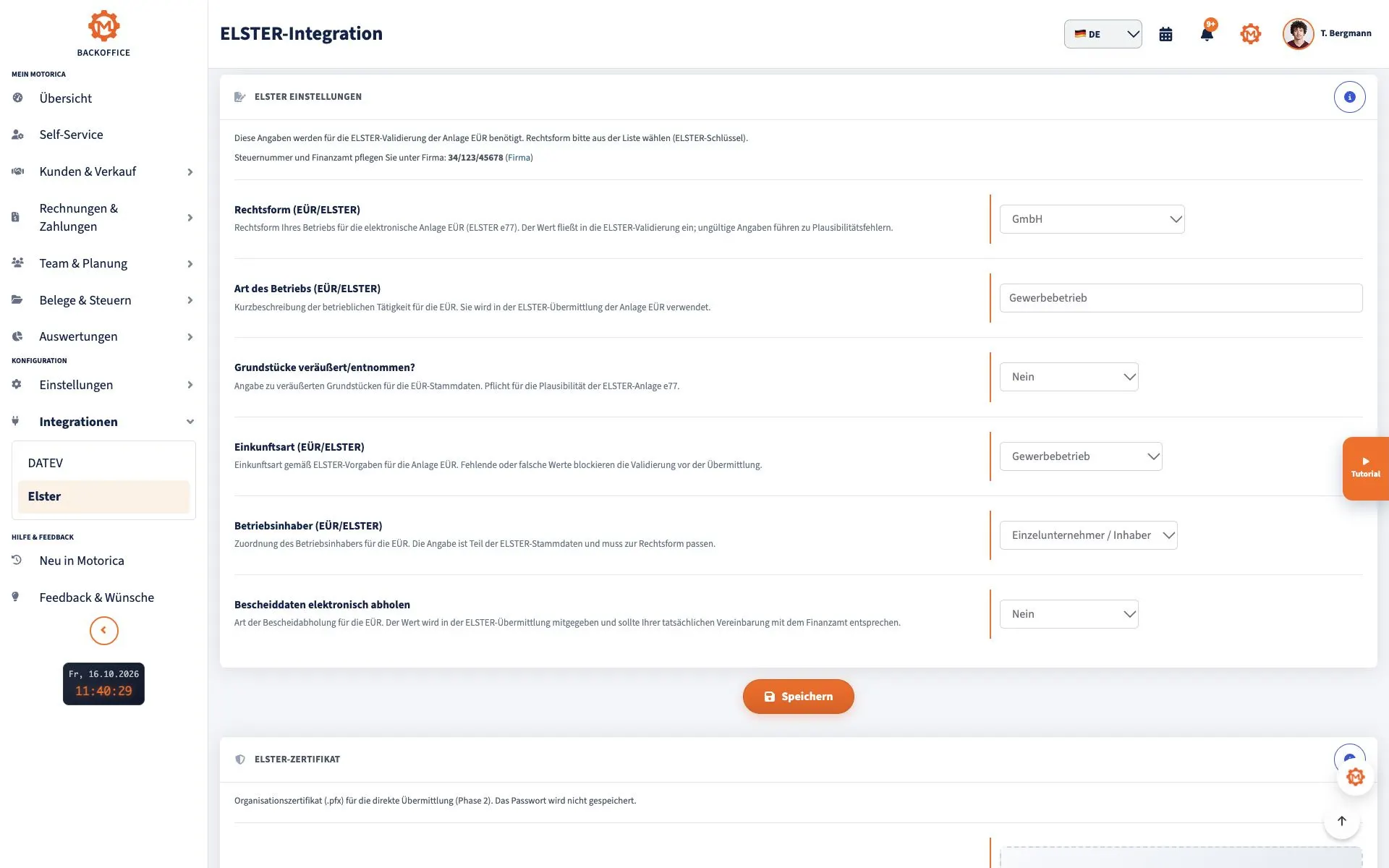
ELSTER for Self-Employed: Registration, Tax Number, and Tax Return Explained Simply
ELSTER is the online portal of the German tax administration. Self-employed people use it to electronically submit tax data to the tax office, for example the questionnaire for tax registration, VAT advance returns, or tax returns.
Briefly explained: What is ELSTER?
ELSTER is the online portal of the German tax administration. Through ELSTER, self-employed individuals, freelancers, and entrepreneurs can fill out tax forms online and send them electronically to the tax office.
ELSTER is especially important for self-employed people because many tax processes need to be done electronically. This includes, for example, applying for a tax number, submitting the income surplus statement, and sending VAT data.
It is important to note that ELSTER does not replace accounting. The portal is primarily used for electronic transmission to the tax office. Invoices, receipts, incoming payments, customers and current business data should be neatly organised beforehand.
What do self-employed people need ELSTER for?
Self-employed people need ELSTER primarily for communication with the tax office. Depending on the activity, legal form and tax situation, different forms may be relevant.
Typical use cases are:
- Apply for a tax number for a new company
- Questionnaire on tax registration for sole proprietorships Submit
- advance VAT return Submit
- annual VAT return Submit
- income tax return Submit electronically
- cash-basis income statement (EÜR) Submit
- trade tax return (Gewerbesteuer) Submit, if required
- wage tax filing (Lohnsteuer-Anmeldung) Send, if you employ staff
- Other forms and notifications Send to the tax office
Not every form applies to every self-employed person. Which declarations are necessary depends, among other things, on whether you work commercially or freelance, whether you are subject to VAT, whether you employ staff, and which profit determination method you use.
Is ELSTER mandatory for the self-employed?
For many tax processes, electronic submission is required. This is especially relevant when starting a business: If you start a company or go self-employed, you have to apply for a tax number electronically through the tax registration questionnaire since January 1, 2021.
The questionnaire for tax registration must be submitted to the responsible tax office within one month of the start of the activity without being asked. The official information on this can be found on the ELSTER website Have you founded a company or become self-employed?.
In principle, the statement of surplus income is also transmitted electronically. For the Appendix EÜR points out to ELSTER that a transmission according to the officially prescribed data record is carried out by remote data transmission. In cases of hardship, the tax office can waive the electronic transmission upon application.
In practical terms, this means that anyone who works independently should take care of an ELSTER account early on and not wait until a deadline is imminent.
Registering ELSTER: What you should prepare
Registration with ELSTER is free and takes place through the official portal. The starting point is the page Create user account.
For registration, you should have the following data and access ready:
- valid email address
- personal tax identification number
- date of birth
- current address
- access to your mail
- secure password
- secure storage location for the certificate file
The tax identification number is an eleven-digit number. It is permanently valid and contains no personal information about the person concerned. Information about it is provided by the Federal Central Tax Office on the page Tax Identification Number ready.
After registration, you will receive activation data. Depending on the identification chosen, these will come by e-mail or by e-mail and post. Only then can the user account be fully activated. The official instructions can be found at Activate user account.
Therefore, plan some time. Registration starts quickly, but the account is not always fully usable immediately.
Step by step: Create an ELSTER account
1. Open official ELSTER registration
Open the official registration page of ELSTER: https://www.elster.de/eportal/registrierung.
Do not use search results or advertisements if you are unsure. Call ELSTER directly from the official domain elster.de .
2.
Select for whom the user account is to be created. For many founders and self-employed people, a user account for a private individual is initially sufficient. Depending on the situation, companies may also need an organizational account.
If you have started a business or become self-employed, you should also read the ELSTER information on Founding a company .
3. Select login option
ELSTER offers various login options. For many users, the certificate file is a common variant. Together with your password, this file serves as access to your ELSTER account.
Further information on registration, certificate file and password can be found in the official ELSTER help for Registration.
4. Enter personal data
Enter your information carefully. Pay special attention to:
- correct spelling of your name
- correct tax identification number
- current date of birth
- current address
- working email address
Errors in this information can lead to the registration not being completed properly or result in follow-up questions.
5. Wait for activation data
After registering, you will receive activation data. Depending on the procedure, this will be sent by email or by email and post. Only with this data can you activate your ELSTER account.
You can find the official ELSTER page for activation here: Activate user account.
6. Save certificate file
After successful activation, create or receive your certificate file. Save this file in a secure place and make a protected backup copy.
If you lose your login details, certificate file, or password, you can start a login renewal through ELSTER. The corresponding page is called Enable login again.
Apply for a tax number: Tax registration questionnaire
If you become self-employed, registering your business alone is not enough. For tax registration with the tax office, you need to fill out the tax registration questionnaire and submit it electronically.
ELSTER explains that the tax number for a business has to be applied for electronically with a tax registration questionnaire since January 1, 2021. The questionnaire must be submitted to the responsible tax office within one month after starting the activity.
The central information page for this is: Company founded or went self-employed?.
For sole proprietorships, there’s a specific ELSTER form: Tax registration questionnaire for sole proprietorships.
This questionnaire is relevant, among other things, when starting a:
- commercial activity
- independent or freelance activity
- agricultural and forestry activity
Other legal forms use different questionnaires. You can find an overview on the ELSTER page All forms.
What information is important in the questionnaire?
The tax registration questionnaire is more than just a simple startup form. Your information helps the tax office classify your business activity for tax purposes.
Typical information in the questionnaire includes:
- Personal or company details
- Address
- Responsible tax office
- Type of activity
- Start date of activity
- Expected income
- Expected profit
- Bank account details
- Information on VAT
- Decision on German VAT exemption scheme for small businesses (Kleinunternehmerregelung)
- Information on profit determination
Type of activity
Describe your activity clearly and concretely. Don’t just write "services," but specify as exactly as possible what you offer.
Examples:
- Web design and technical website support
- Building cleaning for private and business clients
- Mobile hairdressing service
- Translation services
- Business consulting for small businesses
Expected income and profits
Estimate realistically. Too high or too low figures can later lead to inappropriate advance payments or queries.
German VAT exemption scheme for small businesses (Kleinunternehmerregelung)
Check carefully whether you want to use the German VAT exemption scheme for small businesses (Kleinunternehmerregelung). This decision affects whether you show VAT on your invoices and have to submit regular VAT returns.
Bank account details
Provide an account that you can reliably use for your self-employed work. For smooth office management, it makes sense to keep private and business payments as separate as possible.
Submit tax return via ELSTER
After registration, you can fill out tax forms via ELSTER and send them electronically to the tax office.
Depending on your situation, self-employed people have to submit different declarations. Commonly relevant are:
- income tax return
- cash-basis income statement (EÜR)
- annual VAT return
- advance VAT return
- trade tax return (Gewerbesteuer)
- wage tax filing (Lohnsteuer-Anmeldung), if you are an employer
Which forms are necessary depends on your specific activity, your legal form, whether you are subject to VAT, and your business situation. If you're unsure, you should ask your tax office or a qualified tax advisor.
Preparation: You should gather these documents
Before you create a tax return or VAT advance notification in ELSTER, your documents should be fully prepared.
Collect, among other things:
- Outgoing invoices
- Incoming invoices
- Receipts
- Proofs of payment
- Bank statements
- Records for business expenses
- Contracts
- Mileage log, if relevant
- Proofs for insurance
- Proofs for work equipment
- Payroll documents if you employ staff
The more organized your ongoing office work is, the easier the electronic submission via ELSTER will be later.
ELSTER does not replace accounting
A common mistake is assuming that ELSTER automatically handles all accounting. That is not the case.
ELSTER is mainly intended for electronic submission to the tax authorities. The actual preparation happens beforehand:
- Writing invoices
- Collecting receipts
- Checking payments
- Assigning income and expenses
- Preparing VAT
- Keeping documents complete
Many freelancers use office or accounting software for this. Motorica can help here by managing invoices, receipts, incoming payments, clients, and documents in an organized way in one place. The tax submission then takes place via ELSTER or with the support of a tax advisor.
Common mistakes with ELSTER
Mistake 1: Creating the ELSTER account too late
Many founders only take care of ELSTER when they urgently need the tax number. This can lead to delays.
How to avoid the mistake: Set up your ELSTER account as early as possible, ideally right after deciding to go self-employed or shortly after registering your business.
Mistake 2: Submitting the tax registration form too late
The tax registration form must be submitted within one month after starting your activity.
How to avoid the mistake: Prepare the most important information before filling out the form. This includes your activity, start date, estimated revenue, bank details, and decision regarding the German VAT exemption scheme for small businesses (Kleinunternehmerregelung).
Mistake 3: Describing your activity too vaguely
An unclear description of your activity can cause follow-up questions.
How to avoid the mistake: Specifically describe what services you offer and which customer group you work for.
Mistake 4: Estimating Income and Profits Unrealistically
The information in the questionnaire are estimates. Still, they should be believable.
How to avoid this mistake: Create a simple plan with expected revenue, costs, and profit. Don’t use fantasy numbers.
Mistake 5: Losing the Certificate File
The certificate file is important for accessing ELSTER. If it’s lost, expires, or the password is forgotten, access can be restored via the ELSTER access renewal.
How to avoid this mistake: Store the certificate file securely and make a protected backup copy. You can find the ELSTER page for restoration at Enable login again.
Mistake 6: Sorting Receipts Only at Year-End
Whoever sorts receipts only shortly before the tax return quickly loses track.
Here's how to avoid that mistake: Collect and organize receipts on an ongoing basis. Check income, expenses, and incoming payments as regularly as possible.
Checklist for self-employed
Before registering with ELSTER
- Have your tax identification number ready
- Check your current address
- Use a valid email address
- Choose a secure password
- Set the storage location for the certificate file
- Open the official ELSTER registration: Create a user account
Before filling out the tax registration questionnaire
- Clearly describe your activity
- Set the start date of your self-employment
- Estimate expected income
- Estimate expected expenses
- Check whether this scheme applies to you: German VAT exemption scheme for small businesses (Kleinunternehmerregelung)
- Have your bank details ready
- check the responsible tax office
- open the appropriate form: tax registration questionnaire for sole proprietorships
Before the tax return
- collect invoices
- collect receipts
- check bank statements
- assign income and expenses
- check VAT
- clarify any open questions with the tax office or a tax advisor
- review ELSTER entries before submitting
- save the transmission protocol
Frequently asked questions about ELSTER
What is ELSTER?
ELSTER is the online portal of the German tax administration. Self-employed people use it to electronically submit tax forms and tax data to the tax office.
Is ELSTER free?
Yes, using ELSTER is free of charge. However, costs may arise if you also use a tax consultant or paid accounting software.
How long does the ELSTER registration take?
The registration can be started quickly online. However, you should allow some time until the account is fully activated, because activation details are sent depending on the procedure via email or via email and mail. The official page for this is Activate user account.
Can I still submit my tax return on paper?
For self-employed people, electronic submission is required in many cases. In the income surplus statement, ELSTER points out that electronic submission is generally intended. In hardship cases, the tax office can, upon request, waive the requirement for electronic submission.
You can find more information on ELSTER at cash-basis income statement (EÜR) / Annex EÜR.
Do I need ELSTER to apply for a tax number?
Yes. If you're starting a business or going self-employed, the tax number is applied for electronically via the tax registration questionnaire. You can find the official ELSTER information on this on the page Started a business or gone self-employed?.
Do I get the tax number immediately after submitting?
No. The tax office reviews the questionnaire and then assigns the tax number. According to ELSTER, you will receive the tax number by mail from the tax office after they check the questionnaire.
Do I have to register with ELSTER again every year?
No. You don’t have to register every year. You can use your ELSTER account permanently as long as your access works and your information is up to date.
Is ELSTER accounting software?
No. ELSTER is mainly a portal for electronically submitting tax data to the tax office. You need to manage ongoing accounting, invoicing, receipt management, and payment tracking yourself beforehand or with suitable software.
What happens if I miss deadlines?
Missed tax deadlines can lead to disadvantages, such as late fees, inquiries, or delays. If you're unsure, you should contact your tax office or a qualified tax advisor early on.
Conclusion
ELSTER is an essential part of tax administration for self-employed people in Germany. Through the portal, important forms and declarations are sent electronically to the tax office. ELSTER is especially important when starting out because the tax number is applied for via the tax registration questionnaire.
Still, ELSTER doesn't replace proper office organization. Invoices, receipts, payments, and business data must be fully and clearly prepared beforehand. Those who keep their documents up to date avoid stress with tax returns, VAT prepayments, and inquiries from the tax office.
For freelancers, this means: set up ELSTER early, prepare your data carefully, and don't leave tax obligations until just before the deadline.
Sources and Status
Status: June 24, 2026
This article was created based on publicly available information from the German tax administration and the Federal Central Tax Office.
- My ELSTER: Homepage
- My ELSTER: Create User Account
- My ELSTER: Registration Help
- My ELSTER: Activate User Account
- My ELSTER: Re-enable login
- My ELSTER: Started a business or became self-employed?
- My ELSTER: Questionnaire for tax registration for sole proprietorships
- My ELSTER: cash-basis income statement (EÜR) / Annex EÜR
- My ELSTER: income tax return
- My ELSTER: advance VAT return
- My ELSTER: annual VAT return
- My ELSTER: trade tax return (Gewerbesteuer)
- My ELSTER: wage tax filing (Lohnsteuer-Anmeldung)
- My ELSTER: All forms
- Federal Central Tax Office: Tax identification number
This article provides a general overview and does not replace individual tax advice. For specific tax questions, contact your local tax office or a qualified tax advisor.