
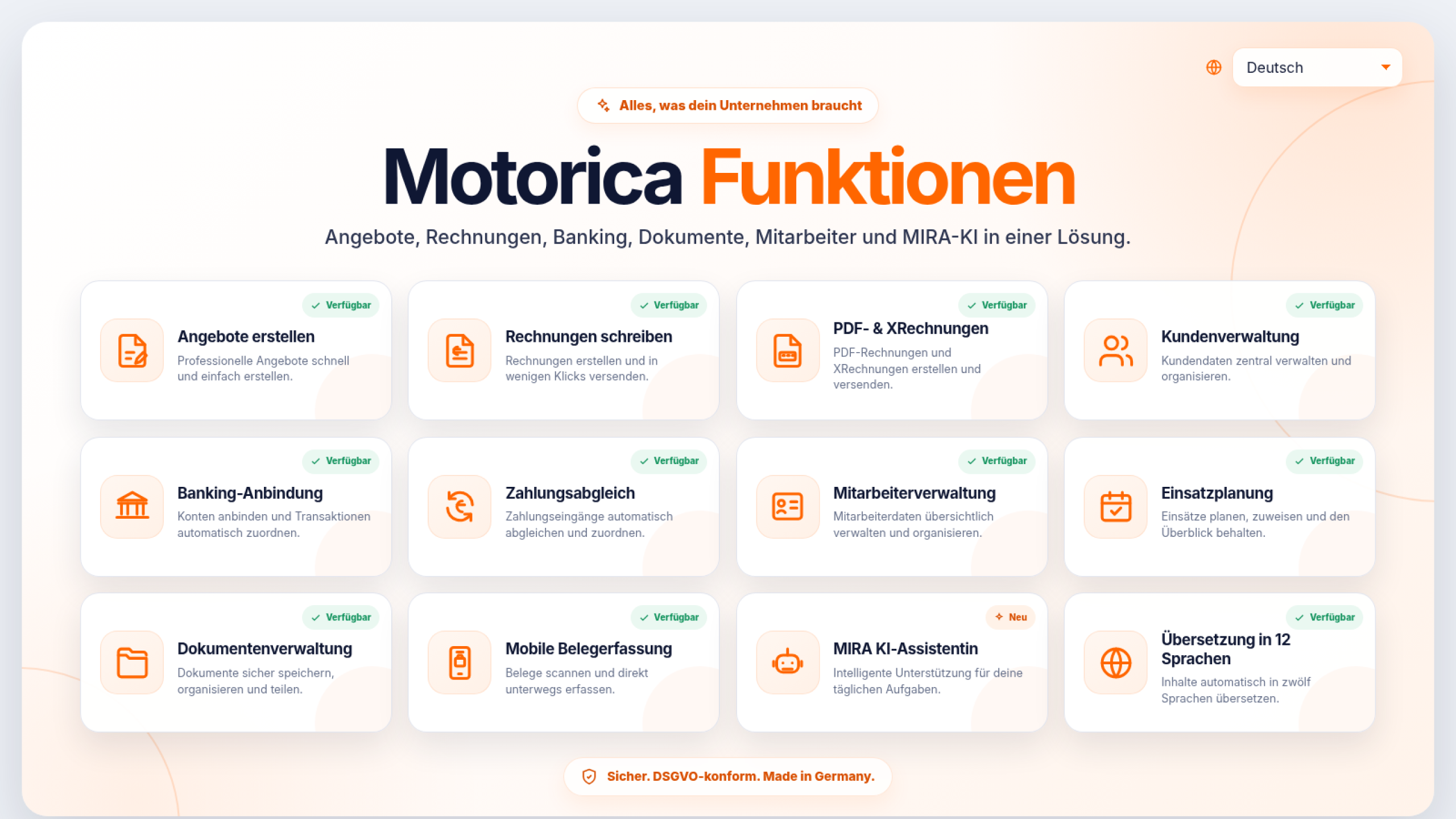
Motorica Features
From the order to tax preparation: a connected office
Motorica connects quotes, invoices, payments, receipts, employees, assignments and MIRA in one system - understandable in 12 languages.
No payment details · No automatic renewal
Photo by StockSnap
Motorica is web-based office software for self-employed people and small businesses in Germany. Instead of managing invoices, bank accounts, receipts, operational planning and government mail in separate tools, Motorica combines these tasks in a comprehensible process.
Four ways to the digital office
Choose the start point based on your current task. Each subpage explains the process, typical special cases and the limits of the respective function.

One process instead of five individual solutions
The benefits arise from the interaction: a customer inquiry becomes an offer, an accepted order becomes an application and then an invoice. The bank reconciliation shows the receipt of payments, receipts flow into tax preparation and MIRA helps to classify incoming documents and deadlines.
- Enter customer and service only once
- Transfer offer to invoice
- Keep payment, receipt and process together
- Leave open tasks visible until clarification

Quotes and invoices without media disruption
Motorica creates quotes and invoices using customer, service and payment data. Accepted quotes can be converted into invoices, sent as PDFs and designed with custom document backgrounds. XRechnung is available; Motorica creates ZUGFeRD invoices directly from the maintained invoice data. The file combines a readable PDF invoice with embedded structured XML data.

Bank and payments: open, paid or to be clarified
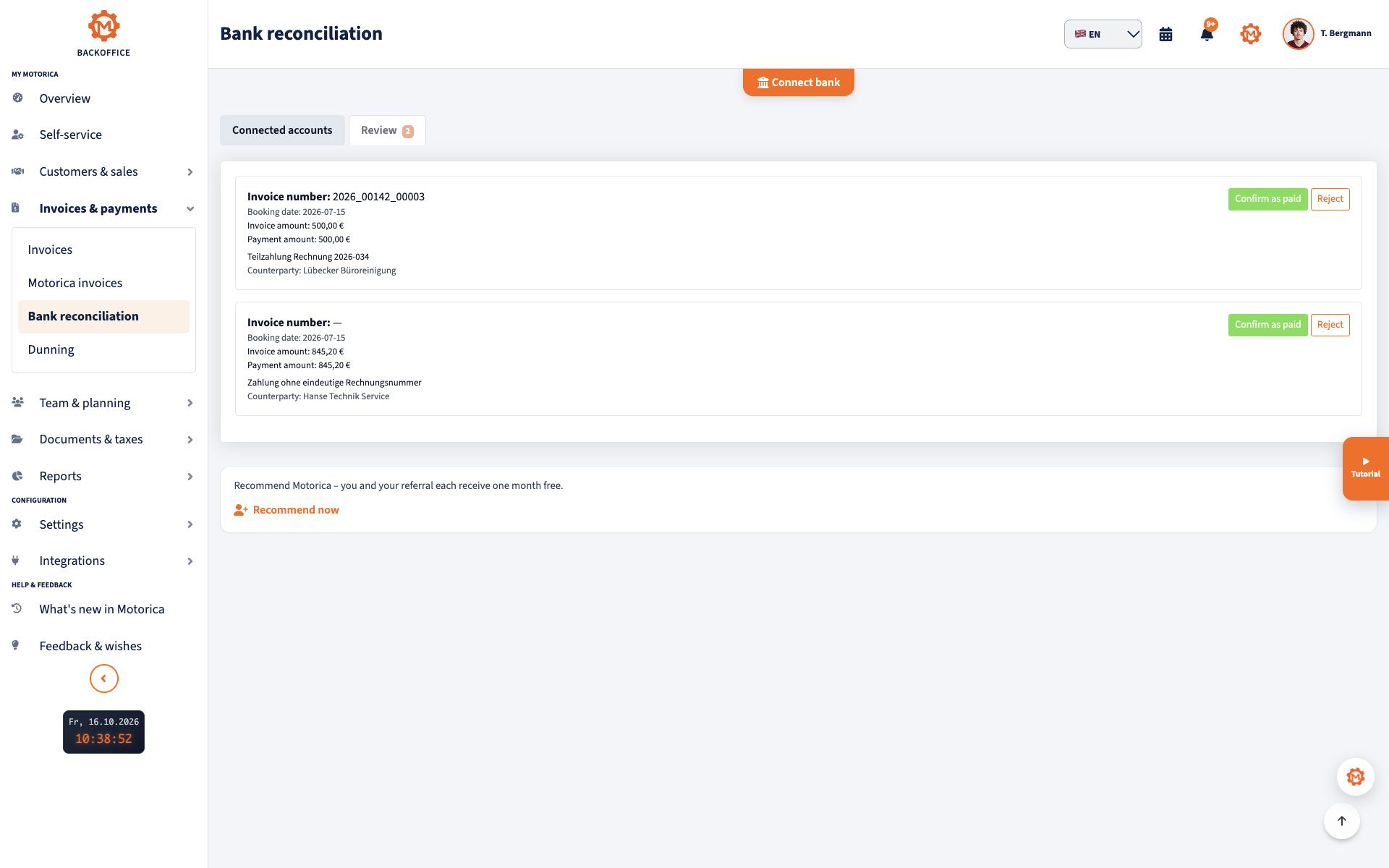
After sending the invoice, Motorica compares incoming bank transactions with outstanding invoices. Unique hits are assigned; Partial payments or unclear purposes of use remain visible as cases that can be verified. Open and overdue receivables lead directly to payment reminders and dunning processes.
- Open automatic bank reconciliation
- Search incoming payments instead of bank statements
- Consciously check partial payments and clarification cases
- Only send reminders based on the current payment status

Documents and MIRA: understand, check, continue working
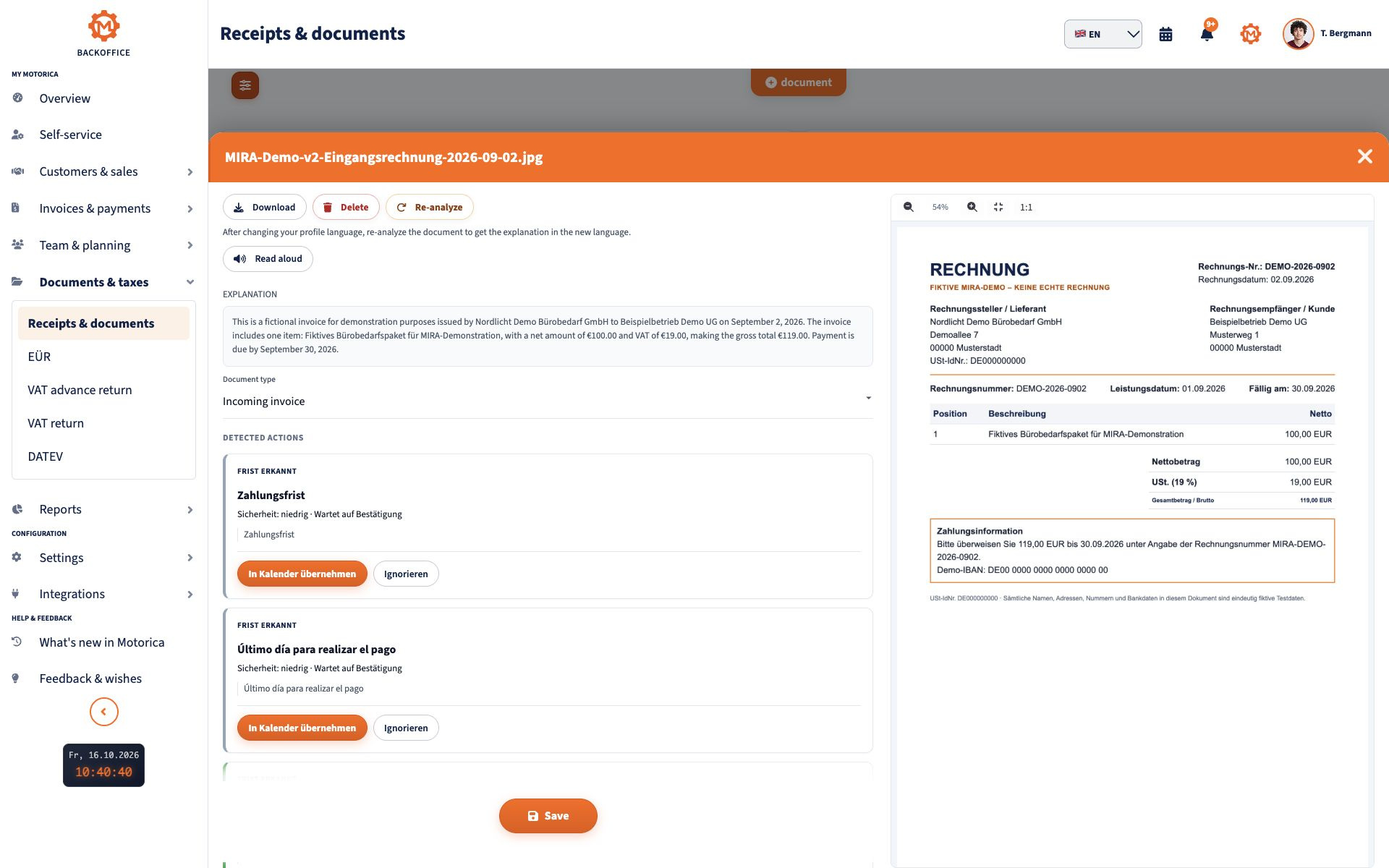
MIRA analyzes invoices, receipts and letters from authorities, recognizes important information and makes possible tasks visible. The analysis speeds up the review, but does not replace professional examination, tax advice or legal advice.
- View AI document analysis
- Get to know MIRA as an assistant
- Record amounts, senders and deadlines more quickly
- Check uncertain results before further processing
Multilingualism is part of the workflow
Every user can operate Motorica in one of the 12 supported languages. Invoice data and German mandatory information remain controllable; MIRA can explain difficult documents in the chosen language.
- View multilingual office software
- Select the appropriate language for each user
- Incorporate teams with different first languages
- Check German business documents regardless of the UI language

Plan employees, assignments and billing together
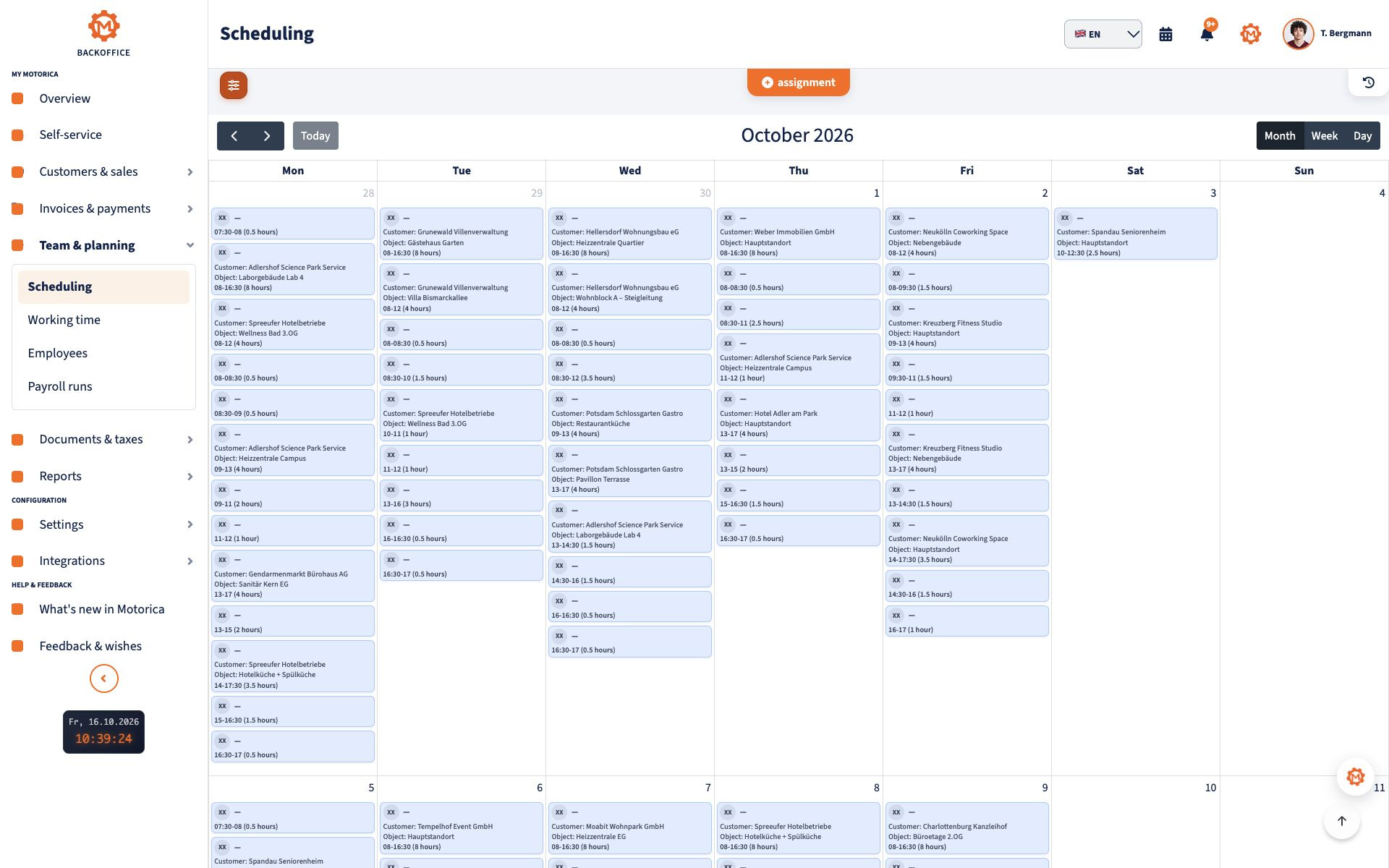
For mobile service providers, Motorica connects employees, customers, locations, calendars and billing. Vacation, illness and recurring assignments remain in the same system from which the service is later documented and billed.
- Office software with job scheduling
- Assign employees and locations
- Take calendars and absences into account
- Prepare pay slips and LODAS/CSV export

Control processes with clear status boundaries
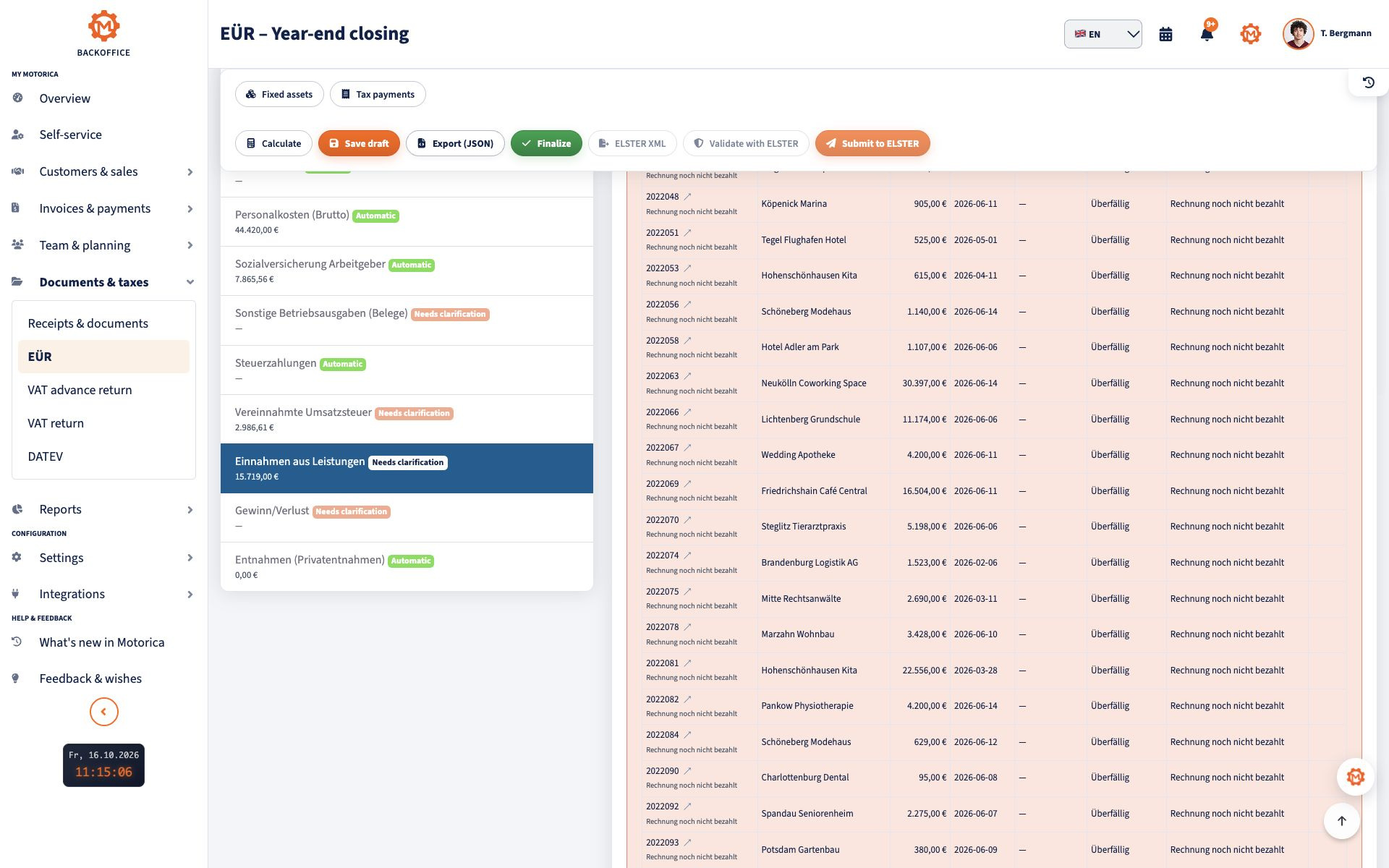
Motorica structures invoices, receipts and payments for UStVA, EÜR and collaboration with tax advisers. Calculation and review processes are available; EÜR data can be validated with ERIC, and UStVA and EÜR can be submitted through ELSTER with one click. Direct DATEV document transmission is in beta and is not generally available.
- Calculate UStVA and check ELSTER connection
- Calculate EÜR and validate ELSTER-XML
- Prepare DATEV and tax advisor process
- Leave the individual tax assessment with the tax advisor
Start safely and apply existing data
Motorica is operated web-based and processes sensitive company data on servers in Germany. Existing customer, item and invoice data can be migrated from provided export files after coordination; There is no promise of universal self-service import.
- Set up access rights and users properly
- Activate bank and tax details only with required authorizations
- Agree on the export format and migration scope before starting
- Take original documents and legal retention requirements into account
Who Motorica is suitable for – and where a special tool makes more sense
Motorica is particularly suitable for small businesses where billing, payments, documents, team and language come together. Anyone who only writes five invoices a year or needs complex group accounting, merchandise management and international tax logic should examine their own needs against specialized solutions.
- Suitable: Self-employed and small service businesses
- Suitable: mobile and multilingual teams
- Check: pure minimal invoice solution without any further processes
- Not replaced: tax advice, legal advice or individual data protection assessment
Feature list
Everything included – one price, no add-ons per module or employee.
- Master data: Customer management · Employee management · Objects and job sites
- Finance: Quotes · Invoices including XRechnung · Dunning
- Taxes and documents: VAT advance return (ELSTER) · Annual VAT return 2025 (ELSTER) · Income surplus statement (EÜR) · Mira document analysis · Banking and payment matching
- Planning: Job calendar
- DATEV: DATEV payroll export (LODAS/CSV) for your tax advisor
- Statistics: Reports for finance and employees
- Platform: 12 languages in the interface · Secure payment via GoCardless (SEPA / Instant Bank Pay)
FAQ
Frequently asked questions about Motorica features
Is Motorica just an invoicing software?
No. Motorica connects quotes, invoices, bank reconciliation, open items, dunning, receipts, employees, job scheduling, multilingualism and MIRA in one digital office.
Who is Motorica suitable for?
Motorica is particularly suitable for self-employed people and small service companies in Germany where billing, payments, documents, employees or multilingual collaboration come together.
How do I get started with Motorica?
After registration, company data, billing information, users and desired connections are set up. Existing data can be migrated from suitable export files after coordination.
Can I convert quotes into invoices?
Yes. Accepted quotes can be converted into invoices in Motorica so that customer, item and performance data do not have to be re-entered.
Are there bank reconciliations and dunning processes?
Yes. Motorica compares bank transactions with open invoices and supports open items, payment reminders and reminders. Unclear hits remain visible for checking.
Can I use my own invoice and offer backgrounds?
Yes. Company logos and your own document backgrounds for quotes and invoices can be used or selected from existing templates.
Does Motorica support employees and job scheduling?
Yes. Employees, customers, locations, calendars, absences and operational planning can be connected in Motorica.
What is MIRA doing?
MIRA analyzes documents and receipts, explains content, recognizes important information and can make deadlines or checkpoints visible. The results do not replace professional advice.
Which languages does Motorica support?
Motorica supports German, Turkish, Russian, Arabic, Polish, Ukrainian, English, Romanian, Italian, Croatian, French and Spanish.
Can Motorica UStVA, EÜR, ELSTER and DATEV?
Ja. Motorica berechnet EÜR und Umsatzsteuer-Voranmeldung aus den gepflegten Vorgängen, prüft die Daten mit ERIC und übermittelt sie nach Freigabe über ELSTER. Die steuerliche Einordnung bleibt bei dir oder deiner Steuerberatung.
Where is the data processed?
Motorica is operated in Germany. However, only necessary users should be authorized for sensitive documents and AI results should be checked before important decisions.
Does Motorica replace tax advice?
No. Motorica structures data and processes, but does not replace individual tax, legal or data protection advice.
Motorica in action
Eight real product steps from the live interface — no invented dashboard. Where a verified screenshot is missing, the step stays as text.
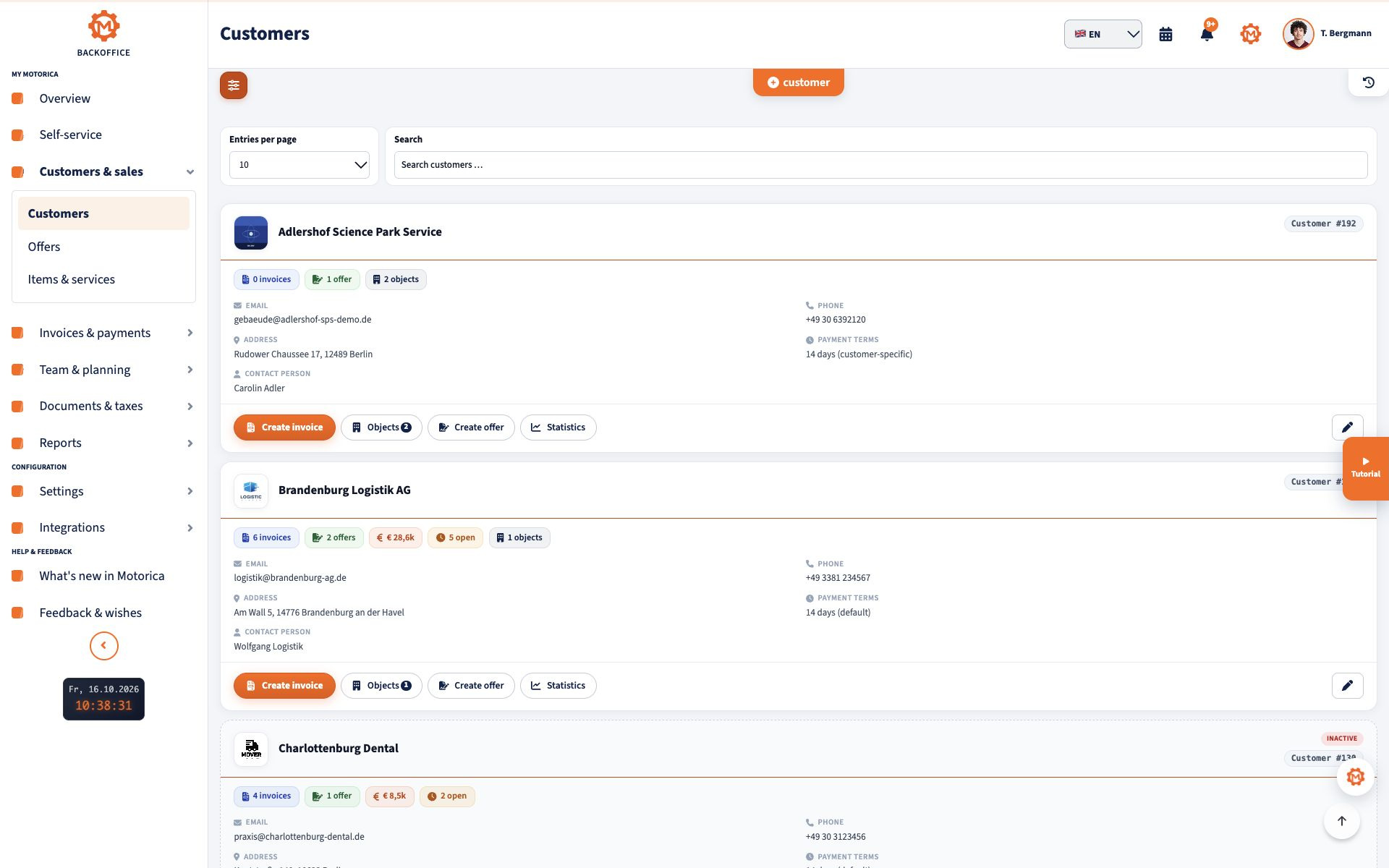
Step 1
Create a customer
Customer records and service locations are kept in one place and reused on quotes and invoices.
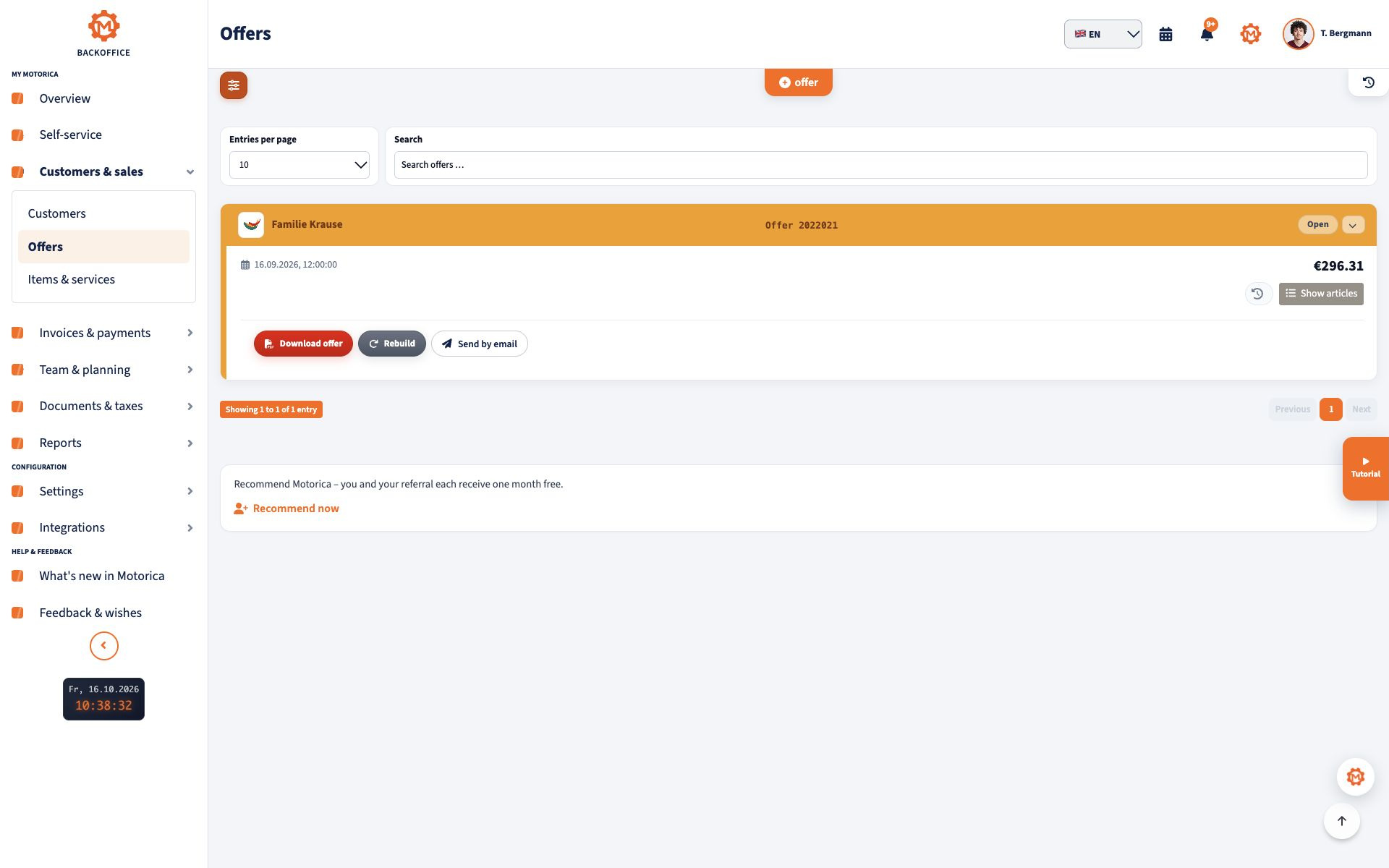
Step 2
Create a quote
Services, quantities, prices and notes belong on the quote. That becomes the basis for the invoice.
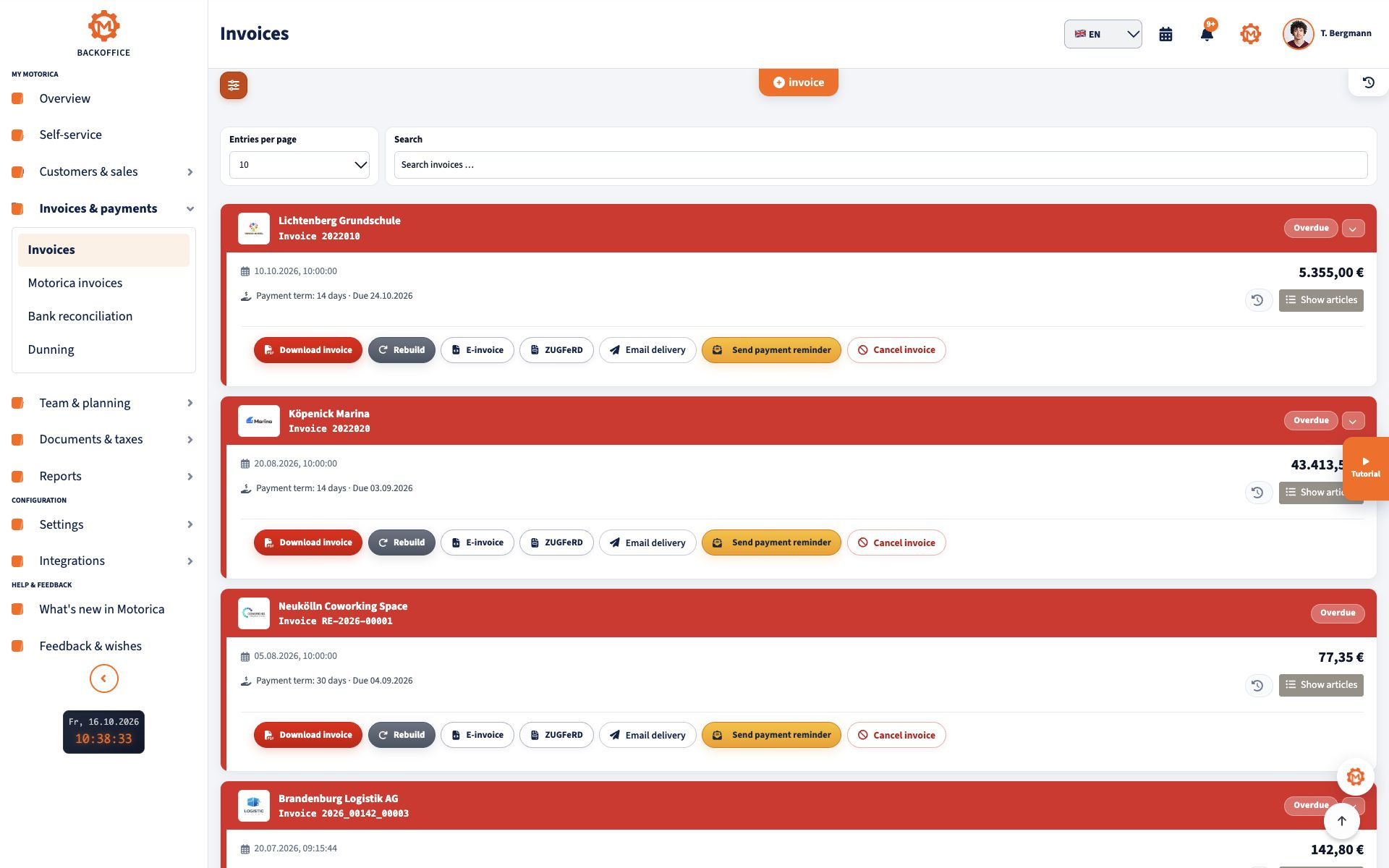
Step 3
Quote to invoice
A confirmed quote becomes an invoice with the same line items. Required fields stay structured.
Step 4
Recognise incoming payment
Bank matching assigns incoming payments to open invoices. Unclear cases stay visible for review.
Step 5
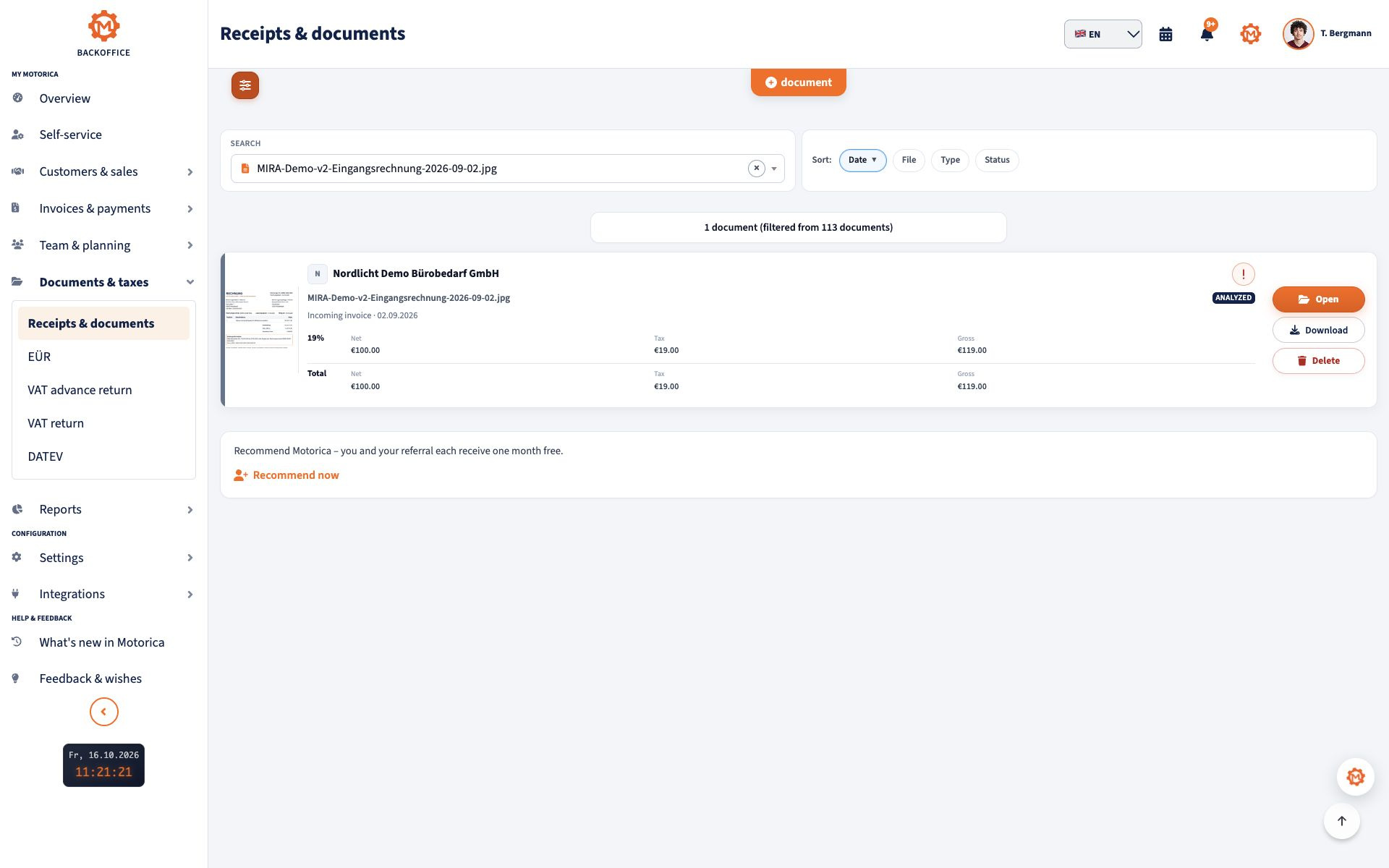
Capture a receipt
Incoming receipts and expenses are linked to records. There is no dedicated consumables inventory.
Step 6
Plan an assignment
Employees, appointments and locations live in the calendar. This does not replace industry routing software.
Step 7
Prepare EÜR and VAT return
Motorica calculates cash-basis profit and the VAT advance return from maintained records, checks them with ERIC and submits them via ELSTER after approval.
Step 8
MIRA document analysis
MIRA reads uploaded documents, explains them in plain language and highlights recognised deadlines. It does not replace tax or legal advice.


Connect all office processes in one system
Start with quotes, invoices, payments and documents - employees, scheduling, multilingualism and MIRA are available in the same digital office.
No payment details · No automatic renewal