
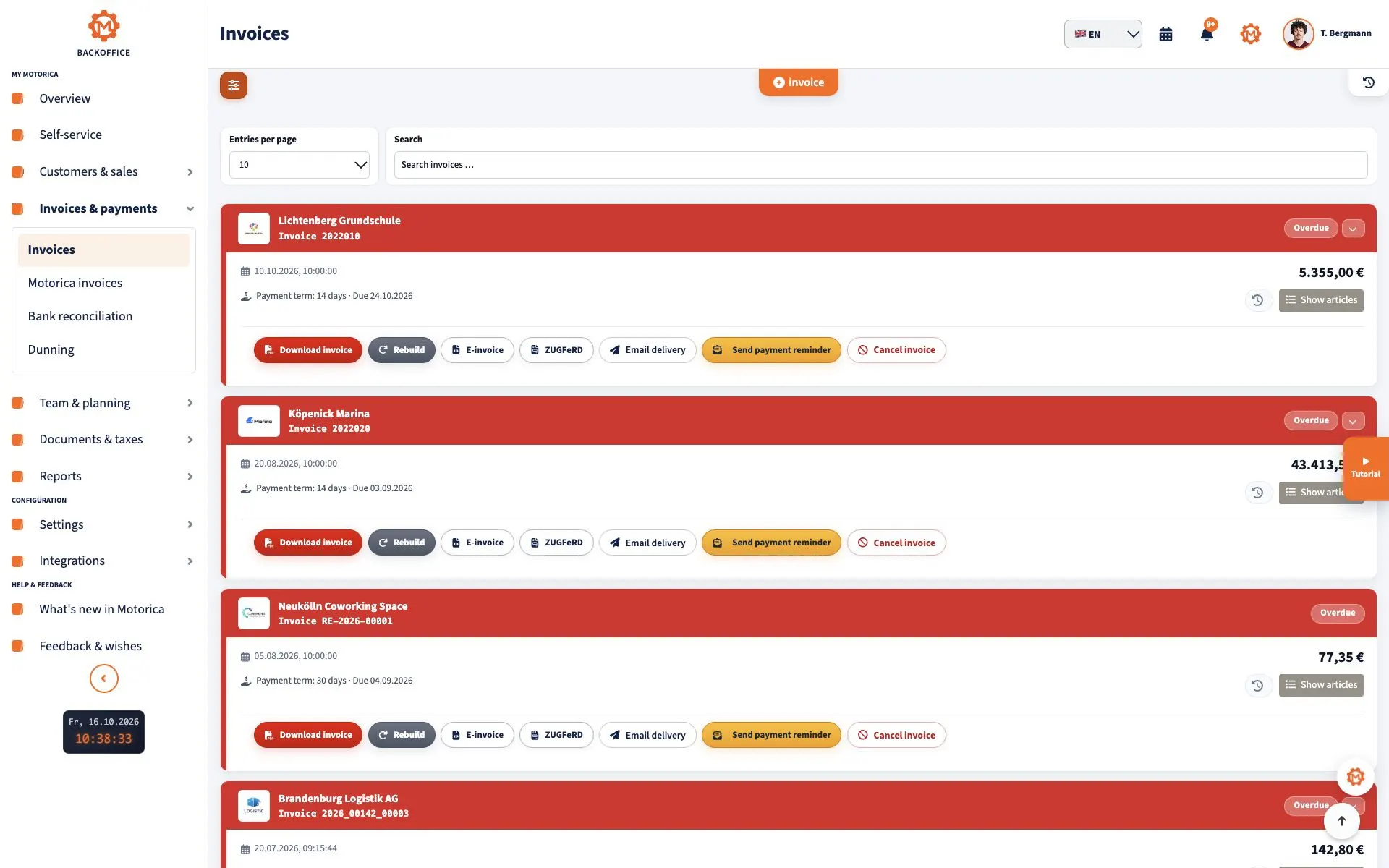
An invoice to a German public authority is not simply a normal PDF sent by email. For many public contracts, the recipient requires an XRechnung: a structured XML data record that the authority can process automatically. The correct Leitweg-ID, the prescribed transmission channel and successful validation are just as important as the invoice itself.
This guide explains German rules for invoices to public-sector customers. It does not replace legal or tax advice, or the requirements stated in your contract.
Key points at a glance
- An XRechnung is structured XML based on EN 16931 and Germany’s XRechnung rules. An ordinary PDF is not an XRechnung.
- XRechnung 3.0 is currently in force; the current specification is 3.0.2. KoSIT’s 3.0.2 bundle dated 31 August 2026 contains the applicable rules and code lists. XRechnung 4.0 is only a prerelease and must not yet be used as the production standard.
- Federal suppliers have generally been required to submit electronic invoices since 27 November 2020. The federal E-Invoicing Ordinance (ERechV) provides exceptions, including certain direct awards up to EUR 1,000. A contract or order can still require an e-invoice.
- Germany’s states and municipalities have their own rules, portals and deadlines. Always check the order, contract and instructions from the actual recipient.
- Public-sector B2G rules apply alongside the B2B rules introduced in 2025. B2B transition periods do not override a public authority’s requirements.
Does every authority require XRechnung?
Not automatically. For the direct federal administration, the federal Online Access Act-compliant invoice platform, OZG-RE, is the central point of entry. States, municipalities, universities and publicly owned companies may use other portals, formats and exemptions. KoSIT publishes a state-by-state overview, but the customer’s contractual instructions remain decisive.
Section 3 ERechV also contains federal exemptions, for example for certain direct awards up to EUR 1,000, classified invoices and some foreign procurements. The threshold is not a general permission to send PDFs: an order, tender or contract may still prescribe XRechnung.
Information to request before invoicing
Obtain the routing data before creating the invoice. In particular, ask for:
- the authority’s full legal name and billing address,
- the Leitweg-ID or other buyer reference,
- supplier number and purchase order number, if assigned,
- contract, order or project reference,
- the permitted portal and exact transmission channel,
- electronic addresses for seller and buyer where required,
- contact person, service period and acceptance details,
- payment terms, bank details and permitted attachment formats.
Copy every reference exactly from the order or procurement documents. A single missing character can prevent automatic routing.
Entering the Leitweg-ID correctly
The Leitweg-ID routes a public-sector invoice to the responsible unit. For federal invoices, it belongs in BT-10 “Buyer reference”. The authority provides it; suppliers do not apply for their own Leitweg-ID. One authority may have several IDs, so do not reuse an older number without checking.
Leitweg-ID, purchase order number and supplier number are different references. Put each value in its designated structured field. Mentioning it only in free text or a PDF attachment is often insufficient for automated processing.
What the XRechnung must contain
The XML must contain all mandatory data required for the transaction in structured form. This normally includes seller and buyer with addresses, issue date, a unique invoice number, type and quantity of the supply, supply date or period, net amounts, VAT categories and rates, VAT amounts, total due and any required statement about exemption or reverse charge.
For federal invoices, section 5 ERechV additionally requires the Leitweg-ID, bank account details, payment terms and the supplier’s electronic contact address. Supplier and purchase order numbers must be included where the customer provided them when placing the order. XRechnung 3.0 also requires electronic seller and buyer addresses in the designated fields.
Tax-relevant or operationally required information must not exist only in an attachment. The authority must be able to process the decisive invoice data from the structured record.
Distinguishing XRechnung, ZUGFeRD and PDF
An XRechnung is transmitted as XML in an approved syntax such as UBL or UN/CEFACT CII. A readable visualisation may help people review it, but it is not the XRechnung itself.
ZUGFeRD usually combines a PDF/A-3 view with embedded XML. A suitable ZUGFeRD profile can qualify as an e-invoice for German VAT purposes, but a public authority does not have to accept it. The recipient determines the permitted format and channel. A plain PDF without structured data is neither XRechnung nor an e-invoice under German VAT law.
Creating an XRechnung with Motorica
- Create the authority as a customer and enter its complete recipient data.
- Copy the Leitweg-ID, purchase order number, supplier number and other references from the order.
- Create the invoice with clear line items, supply date or period, correct tax treatment, payment terms and bank details.
- Review the readable preview. It supports the factual review but does not replace the XML record.
- Use E-Invoice to export the XRechnung as structured CII XML. Use the separate ZUGFeRD option only if the recipient accepts that format.
- Validate the XML and transmit it only through the prescribed channel.
- Retain the XML, submission receipt, portal status and any rejection together.
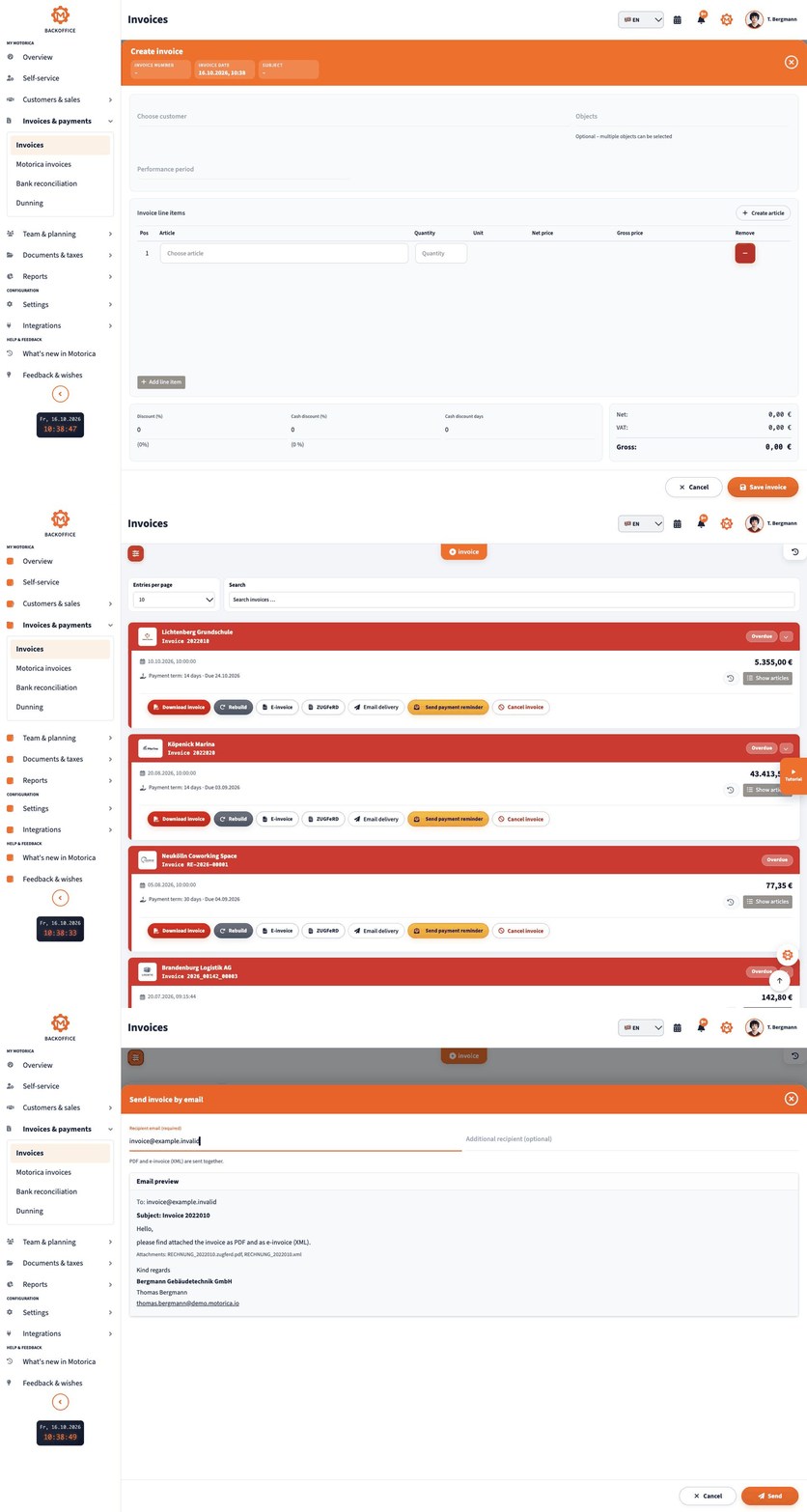
The animation shows how to export an invoice as an XRechnung.
Using the correct transmission channel
Sending valid XML to any general authority email address is not enough. Depending on registration, the federal OZG-RE platform supports web entry, upload, Peppol and a dedicated email channel. Upload transfers the XML file. The email channel uses the address issued by the platform and has its own rules; supporting documents may need to be embedded in the XRechnung.
States and municipalities may operate different portals. Always use the channel named in the order or invoice instructions. Test files belong in an available test environment, never in the production portal.
Technical and factual checks before submission
Technical validation checks the XML schema, EN 16931 rules, XRechnung business rules and code lists. It can detect invalid codes, missing electronic addresses and inconsistent totals. Use validator rules that match the bundle currently in force.
Validation does not prove that the work was accepted, the correct VAT rate was used or the bank account is right. Compare the record separately with the purchase order, evidence of performance, acceptance, tax treatment and payment data. A technically “valid” invoice can still be rejected on its merits.
Handling attachments correctly
Contracts, timesheets or performance records may be permitted as embedded attachments. Observe accepted file types, size limits and portal rules. Do not send unrequested separate emails in parallel, as documents can become detached from the invoice.
An attachment must not replace structured mandatory data. A line description such as “see PDF” is risky if the XML line does not sufficiently describe what is being billed.
Recording submission, rejection and correction
Store the exact XML file submitted together with the timestamp, channel, transaction or portal ID and status message. Technical acceptance only means that the file passed the entry checks; it is not approval on the merits or a promise of payment.
If the invoice is rejected, read the error code and the recipient’s message. Correct the source data in your invoicing system, generate a new conforming file and resubmit it according to the authority’s instructions. Do not silently alter the XML file already sent.
Retaining the XRechnung
Keep the original structured record in a form that preserves its content and readability and allows machine evaluation. For German VAT purposes, invoices generally have an eight-year retention period beginning at the end of the calendar year in which they were issued; other rules may require longer retention in individual cases. A printed XML or PDF visualisation does not replace the electronic original.
Common mistakes
- uploading a PDF and calling it “XRechnung”,
- using an old version or one the recipient does not accept,
- confusing the Leitweg-ID, purchase order number and supplier number,
- placing the correct Leitweg-ID only in free text or an attachment,
- omitting the seller’s or buyer’s electronic address,
- putting mandatory data only in a PDF attachment,
- producing inconsistent net, tax and gross totals through different rounding,
- emailing a general address instead of using the portal,
- confusing technical receipt with factual invoice approval,
- failing to archive the XML, submission receipt or rejection status.
Pre-submission checklist
- Authority, billing address and receiving unit are correct
- The current order’s Leitweg-ID is entered in BT-10
- Supplier, purchase order, contract and project references are correctly assigned
- Invoice number, issue date and supply period are complete
- Lines, quantities, units and descriptions are understandable
- VAT categories, rates, amounts and totals agree
- Payment terms, due date and bank account are included
- Seller and buyer electronic addresses are present
- XML was validated against the current XRechnung rules
- Portal, channel, attachments and size limits match the order
- The submitted file and submission or portal receipt will be retained
Frequently asked questions
Does every public contract require XRechnung?
No. The legal basis, recipient and contract determine the answer. Federal rules impose a general obligation with defined exemptions, while states and municipalities implement e-invoicing differently. Contractual requirements may go further.
Can I send a PDF instead?
Only if the recipient and applicable rules allow it. A normal PDF is not an XRechnung. A PDF visualisation generated in addition to the XML does not replace the structured file.
Do suppliers need their own Leitweg-ID?
No. The authority supplies the ID to use for the particular contract. For federal invoices it is entered as the buyer reference in BT-10.
Is ZUGFeRD accepted by public authorities?
It may be, if format, profile, content and transmission channel meet the recipient’s requirements. An arbitrary ZUGFeRD PDF is not automatically accepted. Ask the authority before sending it.
Which XRechnung version applies in September 2026?
XRechnung 3.0 remains in force; the current specification is 3.0.2 with the bundle dated 31 August 2026. The 4.0 prerelease published on 15 September 2026 is for preparation and is not yet the applicable production standard.
Does “technically accepted” mean it will be paid?
No. Content review, matching to the contract and internal approval follow. Keep both the technical receipt and all later status or error messages.
Official sources and date
Current as of 16 September 2026. The primary sources below are in German.
- KoSIT: XRechnung standard and conformity
- KoSIT: XRechnung versions and bundles
- Federal E-Invoicing Ordinance
- Section 14 UStG: issuing invoices
- Section 14b UStG: retaining invoices
- Federal Ministry of Finance: mandatory e-invoice FAQ
- Federal information for suppliers and OZG-RE
- OZG-RE transmission channels
- Federal FAQ on Leitweg-ID and submission
- Implementation in Germany’s federal states
Next step
Request the Leitweg-ID, order references and transmission channel as soon as you accept the contract. You can then create the invoice in Motorica, export it as XRechnung, validate it and retain it together with the submission receipt.
This article explains general German requirements and is not individual legal or tax advice.